Quiet review
Use Record Audio to Text when listening out loud would be disruptive. A transcript lets you scan the message, find the main point, and respond without replaying audio repeatedly.
Browser audio recorder
Use VoiceNoteToText to record and transcribe audio to text for free. Capture a short microphone recording in your browser, transcribe speech into text, and copy or download the result.
The tool remains close to the top so you can transcribe first and read deeper guidance only when you need it.
Upload or drag your voice note here
Supported: WhatsApp voice notes, MP3, WAV, M4A, OGG, OPUS
Upload a voice note above to see the transcript here.
A quick transcript is useful when listening again is slow, noisy, or inconvenient.
A specific explanation for this workflow, not a duplicate of the homepage.
Record Audio to Text is a focused VoiceNoteToText workflow for converting browser recordings into readable text. It is useful when replaying audio is slow, inconvenient, noisy, or difficult to search later.
The page keeps the converter close to the top because the product should remain immediately usable. The educational sections below explain when the workflow fits, what can reduce accuracy, and how to handle the transcript responsibly.
This is not a claim of perfect transcription. The output should be reviewed, especially when the audio contains names, numbers, addresses, legal statements, medical language, customer details, or quotes that may be reused elsewhere.
The process is intentionally simple: choose an audio source, transcribe it, then use the text.
Save, record, or locate the browser recordings you are allowed to process.
Upload the file, record in the browser, or paste a supported public audio link.
Select the closest supported language or use auto detect when uncertain.
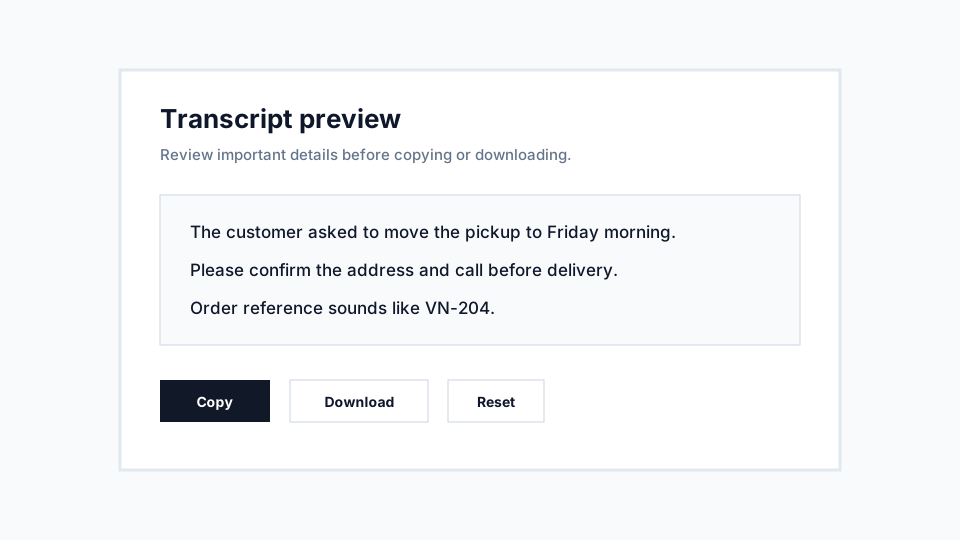
Check important details, then copy or download the transcript.
Scenarios where this workflow can save time without hiding its limitations.
Use Record Audio to Text when listening out loud would be disruptive. A transcript lets you scan the message, find the main point, and respond without replaying audio repeatedly.
Text is easier to search, quote, paste into tasks, and organize. This helps students, support teams, creators, researchers, and business owners turn spoken updates into usable notes.
After transcription, pull out dates, requests, action items, names, and questions. The transcript becomes source material for a cleaner summary rather than the final record by itself.
Practical ways to get a transcript that is easier to review.
Clear speech, low background noise, and a steady speaking pace improve transcript reliability. If a voice note is too noisy, ask for a clearer recording when the content matters.
Short clips are easier to upload, retry, read, and correct. If the recording is long, trim it around the section you need before transcription.
Do not paste transcripts into client work, public posts, or official notes without review. Proper names, numbers, and specialized terms deserve a second listen.
Examples show what the page is for more clearly than a generic feature list.
Input: a short browser recordings clip with a customer request. Transcript outcome: readable text that can be checked for order details, copied into a support note, and assigned to the right follow-up task.
Input: a quick explanation or reminder. Transcript outcome: a text draft that can be rewritten into cleaner notes, flashcards, or a task list.
Input: a spoken draft recorded while moving quickly. Transcript outcome: rough text that can become an outline, caption, script note, or article section after editing.
These answers are specific to this workflow and link deeper when a topic needs more detail.
Practical notes about using VoiceNoteToText for this workflow.
The recorder is built into the web app, so you can capture speech and convert it to text from the same page without installing separate recording software.
Record short reminders, rough ideas, meeting snippets, study notes, or customer updates when typing everything out would slow you down.
VoiceNoteToText is optimized for short audio clips and everyday recordings, keeping the record audio to text workflow simple on phone and desktop browsers.
A practical first-time guide to choosing an audio source, transcribing it, and saving the transcript.
8 min readLearn the practical audio-quality factors that affect transcript reliability.
10 min readPlain-English explanation of processing, returned transcripts, lightweight metadata, and privacy-sensitive use.
9 min readConvert supported audio files such as MP3, WAV, M4A, OGG, OPUS, and WebM into readable text.
Use audio converterTurn saved voice messages from common messaging apps into searchable text.
Convert voice messagesPaste a supported public audio URL and transcribe the linked audio without manually downloading it first.
Use link toolUpload saved WhatsApp voice notes and read the message instead of replaying it.
Convert WhatsApp audio