Getting Started
Upload vs Record vs From Link
Choose the right VoiceNoteToText input method for saved files, live recordings, and public audio links.
Record Audio to Text →Last updated: 2026-06-29 · 7 min read
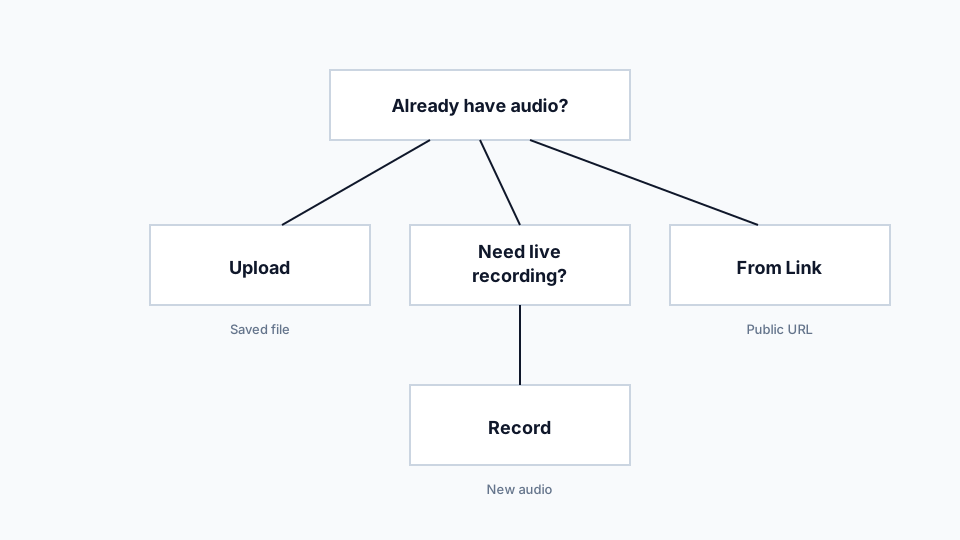
Upload is best for saved audio
Upload is the safest choice for WhatsApp voice notes, downloaded recordings, exported meeting clips, and files from your phone. The browser sends the selected file for transcription and returns the transcript.
Use this path when you can already see the file in your device storage. It avoids link permissions, page scraping, and microphone access issues.
Record is best for quick speech capture
Record is useful when the idea exists only in your head or in the room. Allow microphone access, capture a short clip, listen back if needed, and transcribe it.
Recording quality matters. A quiet room, close microphone, and steady speaking pace usually produce better transcripts than a rushed recording in a noisy space.
From Link is best for public audio URLs
The link workflow helps when the audio is already online. It works best with direct audio files or simple pages that expose a supported audio source.
It is not a bypass for private platforms. If a page requires a login, subscription, token, or app session, download the file yourself if you have permission and use Upload instead.
Recommendations
- Default to Upload when reliability matters.
- Use Record only after checking microphone permission and background noise.
- Use From Link only for audio you are allowed to access and process.
Limitations
- Browser microphone permissions can block recording.
- Private links and streaming platforms may not work.
- Uploaded files still need to match supported size and format limits.